
How to Check Kwara State BECE Result 2026 Online - JSSCE Results
Here is a quick and detailed guide to checking the Kwara State BECE results for JSS3 students.
The Kwara State Ministry of Education has made it easy for candidates, parents, and school administrators to access the Basic Education Certificate Examination (BECE) results online.
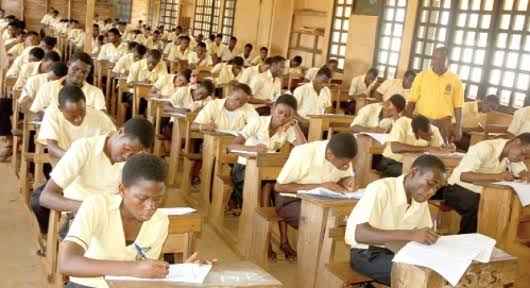
If you recently participated in the Kwara State BECE, this guide explains how to check the Kwara State BECE result, the requirements you need, and what to do if you encounter any issues during the process.
Is the Kwara State BECE Result Out?
Requirements to Check Kwara State BECE Result
How to Check Kwara State BECE Result
Understanding Your BECE Grades
Common Issues That May Occur When Checking Your Result
Is the Kwara State BECE Result Out?
Yes. The Kwara State Ministry of Education releases the BECE results after completing the marking and approval process.
Once released, candidates can access their results through the official Kwara State BECE result-checking portal using a valid access card.
WRITING 2027 BECE? You can step up your 2027 BECE preparation with the ExamGuide BECE app, a trusted tool for BECE exam success. Join thousands of successful students and turn your BECE dream grades into reality – download ExamGuide BECE Learning App now and start your journey to academic excellence
Requirements to Check Kwara State BECE Result
Before checking your result, ensure you have the following:
-
Your BECE Examination Number
-
A valid BECE Result Access Card (PIN)
-
A device with internet access
-
A web browser
If you do not have an access card, contact your school or the appropriate Ministry of Education office for assistance.
Important Notice
Before you proceed to check your result on the portal, read the following instructions
- Do not scratch the card with a sharp object to avoid losing the numbers
- The Access Card is not transferable once used.
- A card can be used an unlimited number of times
- The Registration No should be in the following format – KW/LG00X/00x/22/001
Do you want to pass your BECE- Junior WAEC exams with flying colours? Download the ExamGuide BECE Learning app today from https://examguide.com/offline/jsce
How to Check Kwara State BECE Result
Follow these simple steps:
-
Visit the official Kwara State BECE result portal - https://kwarabece.com/
-
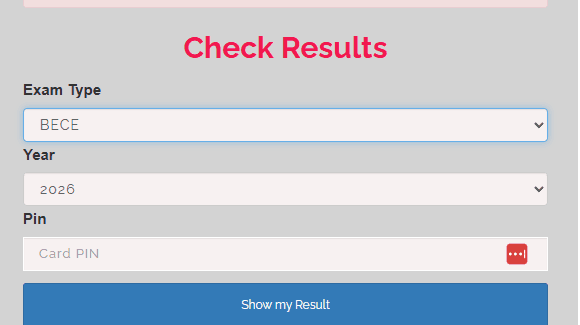
Select the option to Check Result.
-
Enter your BECE Examination Number.
-
Input the PIN from your access card.
-
Click Check Result.
-
Your result will be displayed on the screen.
-
Download or print a copy for future reference if necessary.
WRITING 2027 BECE? You can step up your 2027 BECE preparation with the ExamGuide BECE app, a trusted tool for BECE exam success. Join thousands of successful students and turn your BECE dream grades into reality – download ExamGuide BECE Learning App now and start your journey to academic excellence
Understanding Your BECE Grades
After checking your result, you may see any of the following grades:
| Grade | Meaning |
|---|---|
| A | Distinction |
| B | Upper Credit |
| C | Lower Credit |
| P | Pass |
| F | Fail |
These grades indicate your performance in each subject and determine your readiness for senior secondary education.
Do you want to pass your BECE- Junior WAEC exams with flying colours? Download the ExamGuide BECE Learning app today from https://examguide.com/offline/jsce
Common Issues That May Occur When Checking Your Result
If you experience any problems while checking your result, consider the following:
Invalid Examination Number
Ensure you enter your examination number exactly as it appears on your registration slip.
Incorrect PIN
Double-check the access card PIN before submitting.
Portal Not Loading
The portal may experience heavy traffic shortly after the results are released. Wait a few minutes and try again.
Lost Access Card
If your access card is misplaced, contact your school for guidance on obtaining another one.
Frequently Asked Questions
Can I check my Kwara State BECE result without an access card?
No. A valid access card is required to access your result online.
Where can I get the BECE access card?
Access cards are usually distributed through schools or designated Ministry of Education offices.
Can I print my result?
Yes. Once your result is displayed, you can save or print it for future use.
You can explore structured topic-based practice for BECE here → Download ExamGuide BECE
In conclusion, checking your Kwara State BECE result is a straightforward process once you have your examination number and access card. Follow the steps outlined above carefully to view your result without difficulty.
For more updates on BECE, WAEC, NECO, JAMB, admission, and other education news, keep visiting ExamGuide for timely and reliable information.
No comment found
Related Posts
Abia State BECE JSS3 Result 2026/2027 | How to Check JSSCE Results Online

Lagos Postpones BECE Papers Scheduled for July 1, Over Oro Festival | Check New Date Here
Akwa Ibom State Releases 2026 BECE Timetable for JSS3 Students
NECO Schedules 2026 BECE Re-sit Examination for July - Check Exam Dates Here
NECO Releases 2026 BECE Results, Schedules Date For Re-Sit Examination