

How to Correct Wrong Data on JAMB in 2026
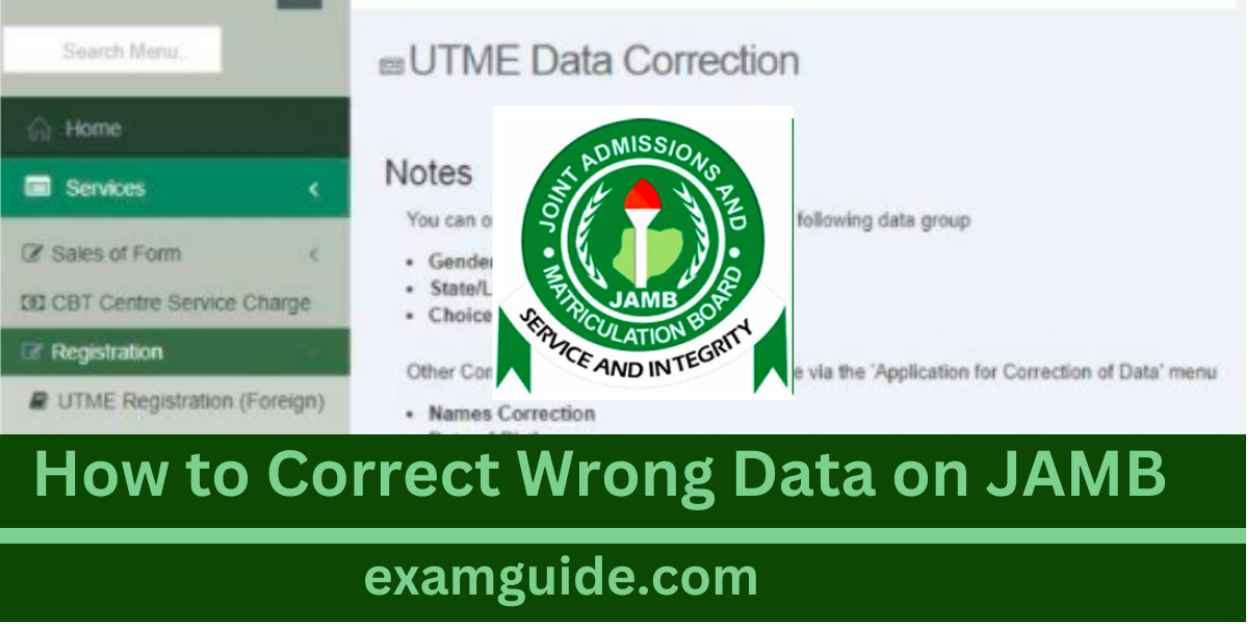
How to Correct Wrong Data on JAMB - Did you discover a mistake that you made when you were registering for your JAMB, and now you want to correct it? Many candidates make mistakes in the course of registration, and in recent times, JAMB has created an avenue for students to correct some of those mistakes.
So are you worried because of a mistake you made in your name, course, institution, date of birth, or local government area? That can be corrected.
Because of these mistakes, this article is here to redirect you on how to correct some of the mistakes that candidate make in the course of registering for their JAMB.
Full details are given below, so read to the end.

How to Correct Wrong Data on JAMB
About JAMB Correction of Data
What does wrong data mean? When data is said to be wrong, it means that the information provided by such a candidate is correct owing to some mistake that does not correspond with the information in other documents, or that is not in line with the requirements of JAMB.
It is based on this wrong supply of such information that this ost become very necessary to guide candidates who are victims of this to be able to correct their mistakes.
How to Correct Wrong Data on JAMB
In this article, we are going to focus on how you can correct some of the prevailing mistakes found among students, which can be changed, such as:
- Change of name,
- Change of course,
- Change of institution,
- Change of date of birth,
- Change of local government area.
Change of name
Here we are going to look at the steps on how to change or correct your name if you have made any mistakes. The steps are:
- Log in to the official website of JAMB
- Create a profile if you are a new user. The profile account creation requires your full name, phone number, LGA, password, and other information, and after that, you sign up.
- Select the application for data correction
- Click on the list showing the data that you can correct
- Choose what you want to correct or change, for instance, the name.
- Select your examination year and examination number.
- Click on the search link so that you can be taken to another page
- The new page will show you how to make a payment for the change you want to make.
- Select your choice of payment method, and make the necessary payment
- Click on the pay with remitted option, since this is simpler.
- Click on the next button
- You will see your details and how much you are to pay for the particular change you want to make.
- Read the information, and after that, click on confirm information to proceed
- After the confirmation, you will be asked to make a payment for the cost of the change or correction you want to make.
- Click on Pay Now, and provide your card details.
- A confirmation of the transaction identification message will be sent to you
- Print the transaction identification and keep photocopies for future use
- Click on continue after the payment has been executed successfully
- Return to the JAMB website
- Enter your examination number and year
- Then the data that you want to correct will appear, and you can start the correction process.
- After you have corrected the data that had the mistake, click on the submit option.
- An indemnity form will appear on the screen. Do well to print it out
- Make sure you fill in your information accurately and submit it to your institution for approval
- When your institution has approved the form, it will send it to the JAMB office in your state.
- Finally, JAMB will send you a notification based on the changes that you have made.
- The new changes will be effected after the indemnity form has been approved.
Change of course/Institution
If you want to make a change of institution or course, these are the steps to follow:
- Log in to the official website of JAMB
- Create a profile if you are a new user. The profile account creation requires your full name, phone number, LGA, password, and other information, and after that, you sign up.
- Select the application for data correction
- Click on the list showing the data that you can correct
- Choose a change of institution or course
- A transaction identification will be generated for you
- Choose the payment method that you like
- If you wish to pay immediately with your card, click continue
- The amount of money charged for the change of course or institution will be displayed
- Click continue, and all the transaction details will appear, including the payment status in the payment section
- You will be asked to provide your examination number and examination year after your payment is successful
- After you have entered the information, preferred institutions/courses will pop up
- Select the courses/institutions that you want
- Click on submit
- JAMB will then process your application. If it is successful, your changes will be effected immediately.
FOR JAMB UTME CANDIDATES:
Step up your UTME preparation with ExamGuide JAMB UTME app, a trusted tool for JAMB exam success. Join thousands of successful students and turn your UTME dream score into reality – download ExamGuide UTME Learning App now and start your journey to academic excellence
Change of date of birth
To apply for a change of date of birth, these are the steps to follow:
- Log in to the official website of JAMB
- Create a profile if you are a new user, but if you already have an account, then log in
- Select the application for data correction
- Click on the list showing the data that you can correct
- Select the change of date of birth
- A transaction identification will be generated for you
- Choose the payment method that you like
- Click continue to make your payment
- The cost for the change of date of birth will be displayed
- Click continue, and all the transaction details will appear, including the payment status in the payment section
- You will be asked to provide your examination number and examination year after your payment is successful
- After you have entered the information, preferred institutions/courses will pop up
- Select the courses/institutions that you want
- Click on submit
- JAMB will then process your application. If it is successful, your changes will be effected immediately.
Change of Gender
To apply for a change of gender, these are the steps to follow:
- Log in to the official website of JAMB
- Create a profile if you are a new user, but if you already have an account, then log in
- Select the application for data correction
- Click on the menu
- From the drop-down, select Change of gender
- A transaction identification will be generated
- Choose the payment method that you like
- Click continue to make your payment
- The cost for the change of date of birth will be displayed
- Click continue, and all the transaction details
- You will be asked to provide your examination number and examination year after your payment is successful
- After you have entered the information, preferred institutions/courses will pop up
- Select the courses/institutions that you want
- Click on submit
- JAMB will then process your application. If it is successful, your changes will be effected immediately.
Conclusion
For those who have made mistakes in their names, date of birth, gender, and other data, with these steps above, you can now correct your wrong data by following the steps. It is easy
People Also Search?
No comment found
Related Posts

What Happens After Writing JAMB UTME? A Complete Guide from UTME Result to Admission

JAMB English Topics: How to Prepare for JAMB UTME English
How JAMB CAPS Works: A Step-by-Step Guide to Accepting Your Admission Offer

JAMB Says "Old O’Level Uploads Remain Valid", Clarifies New Verification Method

JAMB Candidates Can Now Verify O'Level Results from Home